The Engineer’s Paranoia: How to Move Your Home Office Without Losing Data
Listen, I’m a Senior Software Engineer. My life exists on my local drives. I have a custom-built, liquid-cooled PC with a 12-core processor and 64GB of RAM, and three 4K monitors. When I hear people say they are going to let a standard moving company “pack” their home office, I feel physically ill. To a mover, your workstation is just another box of plastic and glass. To you, it is your livelihood. If you don’t follow a strict data-integrity protocol, you are one static shock or one dropped box away from losing years of work and your entire career. You cannot move your home office like you move a kitchen chair.
Last year, a colleague of mine moved from the Marina to Downtown. He left his mechanical hard drives inside his PC case. The movers were ‘gentle,’ but the vibrations of the truck on the Hessa Street bridge caused the internal read/write heads of his 10TB drive to bounce against the platters. It’s called a ‘head crash.’ When he plugged it in at the new house, the drive just clicked. Ten years of family photos and five years of proprietary code—gone. No backup. Total system failure.
You have to be paranoid. Let me show you the exact, multi-layered defense strategy for a technical move.
The Data Integrity Mandate: Backups are Not Optional
The physical move is the highest risk event in your data’s lifecycle.
The 3-2-1 Backup Rule
Before you unplug a single cable, you must verify your backups. 3 copies of your data, on 2 different media, with 1 copy off-site. I don’t care if you have a Cloud sync. If your local NAS (Network Attached Storage) gets smashed and your Cloud sync hasn’t run in 48 hours, you have a gap. Perform a manual, full-system image backup to an encrypted external SSD. Take that SSD with you in your personal bag. Do not put it in the moving truck.
The Liquid Cooling Hazard
If you have a custom liquid-cooled PC, you must drain the loop. Period. Do not trust the ‘leak-proof’ fittings. The kinetic vibration of a moving truck is different from the static environment of your desk. If a single fitting loosens and a drop of coolant hits your GPU or motherboard, the next time you power it on, the whole system will short-circuit. Drain it, dry it, and pack the internal components with anti-static foam to prevent heavy GPUs from snapping the PCIe slots.
The Hardware Extraction Protocol
Your monitors are the most fragile things in your house.
The Anti-Static Barrier
Standard bubble wrap is a static electricity generator. If you wrap your bare motherboard or a naked hard drive in standard plastic bubble wrap, you risk a static discharge that will fry the delicate circuits. You must use pink anti-static bubble wrap or anti-static bags. For your monitors, do not use packing tape directly on the screen. Use a layer of soft microfiber cloth, then foam, then a double-walled cardboard ‘monitor box’ with reinforced corners.
If you are a remote worker with a massive hardware setup and you’re terrified of a 2 AM server crash, check out our Business relocation teams. We are the best movers and packers in UAE because my team handles high-end server equipment with the same paranoia as a surgery.
The Cable Management Speed-Run
Don’t spend three days trying to remember where the blue USB cable goes.
The Photo and Label Strategy
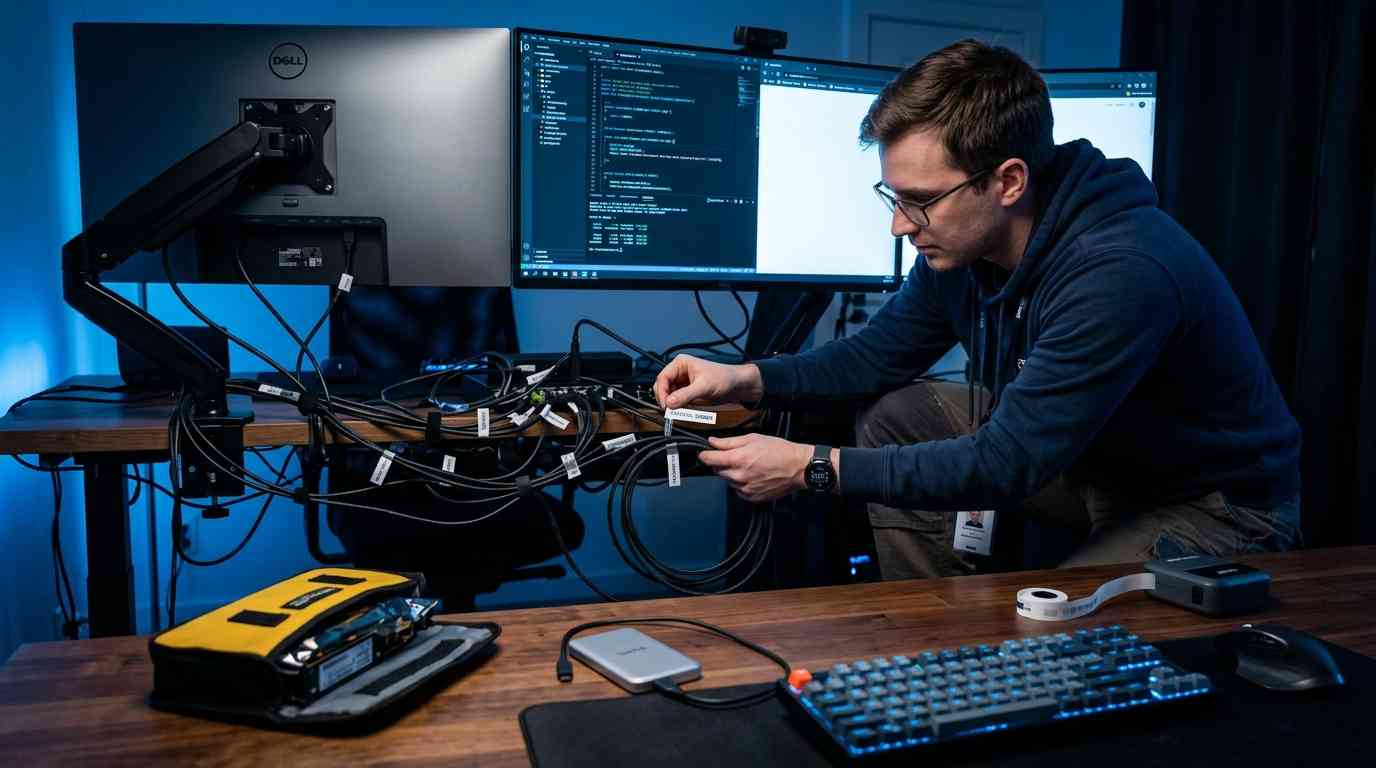
Take high-resolution photos of the back of your PC, your docking station, and your monitor array before you unplug anything. Use a label maker to tag both ends of every cable (e.g., ‘Monitor 1 – HDMI’). Coil the cables individually and place them in a labeled bag specifically for the home office. When you get to the new house, you should be able to reconstruct your entire workstation in under 30 minutes. If you just throw all your cables into one ‘jungle’ box, you will be offline for a week.
Essential Home Office Moving Checklist
| Crucial Technical Step | Why It Prevents a Career Catastrophe |
|---|---|
| Full Image Backup to SSD | If the hardware is destroyed, your work is safe in your pocket. |
| Drain Liquid Cooling Loops | Prevents catastrophic leaks caused by truck vibration loosening fittings. | Use Anti-Static Packaging | Standard bubble wrap can fry your GPU with a single static discharge. |
| Label Every Single Cable | Ensures you are back online in 30 minutes instead of troubleshooting for days. |
Frequently Asked Questions
Should I move my PC in the moving truck?
No. If it is a high-end workstation, it travels in the back seat of your personal car, buckled in with a seatbelt. Moving trucks have terrible suspension and get incredibly hot. Your car is climate-controlled and handled by you. Never trust a 10,000 Dirham PC to a 5-ton truck.
Is Cloud backup enough for a move?
No. Restoring a 2TB system from the Cloud can take days depending on your new internet connection speed. Having a local, physical SSD backup allows you to be fully operational the same day you arrive. Use the Cloud as your fail-safe, not your primary restore point.
How do I move my ergonomic office chair?
Most high-end chairs (like Herman Miller) are incredibly heavy and have delicate adjustment mechanisms. Do not take them apart. Wrap the entire chair in heavy-duty moving blankets and shrink wrap to prevent the wheels from snapping and the mesh from tearing. Move it in one piece.
Should I hire ‘IT movers’ or regular movers?
Regular movers are fine for your desk and chair. However, for the actual hardware, you should either do it yourself or hire a specialized IT relocation service that understands ESD (Electrostatic Discharge) safety and server-handling protocols.
How do I protect my monitors from screen pressure?
The most common cause of monitor death during a move is something leaning against the screen, causing the LCD to bleed. Always pack monitors facing inward against each other with a thick layer of foam in between, and ensure nothing can shift and press against the glass.
By taking the right precautions during your move, you can ensure that all your equipment, including sensitive technology, arrives safely at your new location. For those interested in the intersection of gaming and technology, check out our comprehensive guide on gaming medicine and industry.