The Audiophile’s Paranoia: How to Move Your Home Theater System Without a Single Scratch
Listen up. I have a custom home theater setup that cost more than a mid-sized sedan. We are talking about Bowers & Wilkins floor-standing speakers, a Denon flagship receiver, and an 85-inch 8K screen. When a moving company estimator tells me his crew will “wrap the speakers in blankets,” I want to kick them out of my house. A home theater is not furniture. It is a collection of sensitive electronic components, delicate acoustic drivers, and massive amounts of glass. If you don’t follow a strict extraction protocol for move your home theater, you will end up with thousands of dirhams of high-end equipment that sounds like a tin can. One vibration in the wrong place can ruin a tweeter forever.
Last year, a guy I know from a hi-fi forum moved from JBR to The Palm. He let the movers pack his subwoofers without the original boxes. The movers put a heavy box of books on top of the subwoofer in the truck. The pressure caused the internal voice coil to shift by half a millimeter. When he set it up at the new place, the sub had a permanent ‘rattle’ at low frequencies. A 10,000 Dirham piece of German engineering—ruined. Total acoustic disaster.
You cannot wing this. You have to be obsessive. Let me show you the exact, multi-layered defense strategy for a high-end theater move.
The Original Box Mandate
If you threw away your original boxes, you just made your move 100% more dangerous.
The Styrofoam Barrier
High-end electronics are designed to survive international shipping inside their original factory packaging. The Styrofoam inserts are custom-molded to keep the weight off the fragile components and the screens. If you don’t have the original boxes, you must hire a professional ‘crating’ service to build custom double-walled cardboard boxes with thick, high-density foam corners. Do not just wrap a 15,000 Dirham receiver in bubble wrap; it will get crushed under the weight of other items in the truck.
The Cable Management Nightmare
Don’t spend your first three nights in the new house trying to figure out why the center channel isn’t working.
The Photo and Label Strategy
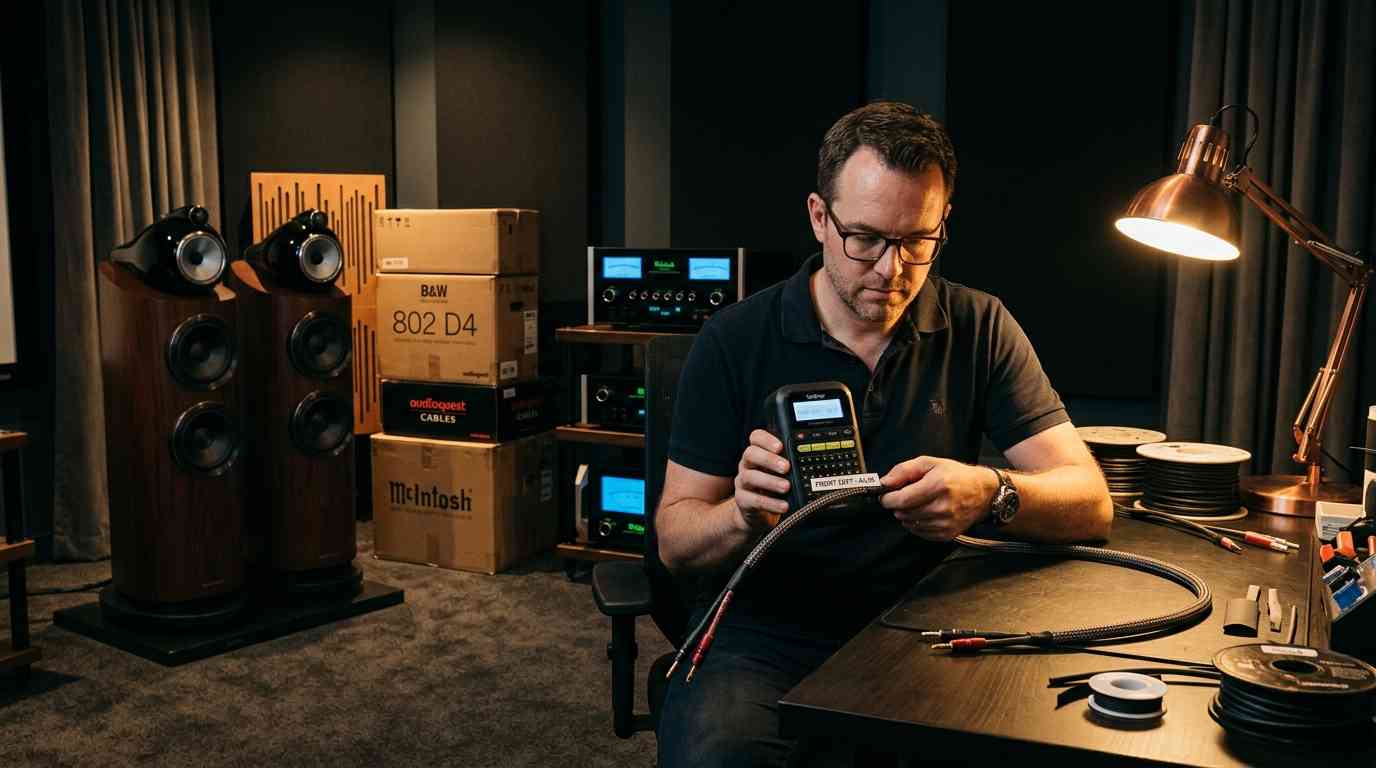
Before you unplug a single HDMI or speaker wire, take high-resolution photos of the back of your receiver. Use a label maker to tag both ends of every single cable (e.g., ‘Front Left – Pos’, ‘Front Left – Neg’). Coil the cables individually and place them in a dedicated ‘Theater Tech’ box. Do not let the movers throw all your cables into a general ‘cables’ box with the kitchen blender and the vacuum cleaner. If you lose your calibration microphone or the proprietary remote, you are in for a world of pain.
If you have an elite audio setup and want a team that understands the paranoia of moving it safely, check out our Lifestyle and specialty tech relocation teams. We are the best movers and packers in UAE because my crew treats your speakers like they are made of thin glass.
The Static and Kinetic Threat
It isn’t just about dropping things; it is about the internal physics of the truck.
The Screen Protection Protocol
For large OLED or LED screens, you cannot apply pressure to the glass. Period. You must use a specialized ‘TV Box’ with a screen-guard layer. The TV must travel vertically. If the movers lay an 85-inch screen flat in the back of a moving truck, the vibrations and the weight of the glass itself can cause the internal panel to crack or bleed. If I see a mover laying a TV flat, I stop the move immediately.
Essential Home Theater Moving Checklist
| Crucial Step | Why It Prevents a Financial Disaster |
|---|---|
| Use Original Factory Boxes | The custom foam inserts are the only way to protect sensitive acoustic drivers. |
| Label Every Speaker Wire | Ensures you are watching a movie on night one instead of troubleshooting for days. |
| Move the Receiver in Your Car | The heaviest and most sensitive component needs the smooth suspension of a car. |
| Wrap Speakers in Microfiber | Prevents the high-gloss finish from being scratched by rough moving blankets. |
| Pack Remote and Calibration Mic Separately | If you lose these proprietary items, the system is impossible to set up correctly. |
Frequently Asked Questions
Should I take the batteries out of the remotes?
Yes. During a move, buttons can get pressed for hours inside a box, causing the batteries to drain or, worse, leak acid inside the remote. Take them out, put them in a small baggie, and tape them to the back of the remote.
Can I move my speakers with the grills on?
Yes, but you must be careful. The grills protect the delicate cones from dust, but they can be easily crushed. I recommend keeping the grills on, but then wrapping the entire speaker in a layer of non-acidic paper before putting it in the padded box.
Does moving insurance cover ‘internal electrical failure’?
Almost never. Moving insurance covers physical damage (e.g., a cracked screen or a dented speaker cabinet). It almost never covers a component that ‘just won’t turn on’ after the move unless you can prove there was a major impact. This is why you must move the receiver and expensive electronics in your own car.
How do I move my projector?
A projector is the most fragile part of any theater. The lens and the internal mirrors are incredibly sensitive to heat and vibration. You must wait for the lamp to be completely cool before packing it, wrap it in anti-static bubble wrap, and move it in your personal car. Never put a 4K projector in a moving truck.
Should I recalibrate my speakers in the new room?
100% yes. The acoustics of your new room (the size, the floor material, the ceiling height) will be completely different. Once you have set everything up, run the auto-calibration sequence with your microphone. The settings that sounded perfect in your old apartment will sound terrible in your new villa.
This topic connects naturally with Public Perception of — exploring it will give you a more complete picture.
As you prepare for your move, it’s also important to familiarize yourself with the necessary regulations and customs involved in relocating internationally. For a comprehensive understanding of what to expect, you can refer to our detailed relocation customs guide when moving from Abu Dhabi to Canada.